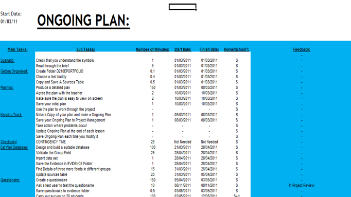
| On the first couple of weeks of the project, we were tasked in creating an Initial plan, in which we would input data on the time we thought each task would take to complete. To start with, we had to go onto the DiDA website, and look at all the tasks that we needed to complete. There were several sub sections, but in each of these there were tasks that needed to completed, and I needed to record these down Some of the sub sections included Survey, and the e portfolio. Some of the other columns we put into this were the predicted times for each tasks, the start and the finish dates, and whether it is to be completed at home of school. The colour scheme I chose went with my secondary colour scheme, of light blue. It looks different, colourful, fun and clear, and that was the aim of it. |

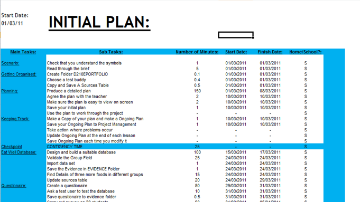
| After a couple of months into the project, we were asked to make a final plan, where we were going to put in the start and finish times for all the tasks that we had completed, and the tasks that we on at the moment. I decided just to copy my Initial plan over so that I had all the right columns and it looked the same, so that my project had certain colour schemes at certain points. The final project plan will be filled in as i complete each task, and when I get extra assignments or feedback which requires action. The completed tasks log will keep a record of when each task or important section has been completed. |

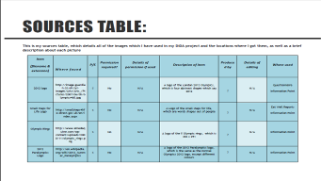
| When i was setting about on my project, I had to keep a record on all the pictures and Images I had used in all my projects. Luckily, I was given a table which had several columns, including descriptions, original locations of the Image and whether the document was primary or secondary (Whether I had created the Image myself or whether I had taken the Image from another website or source. I filled this in on a regular basis, until it was filled with every image I used in the project. The second Sources Table gives a preview of the Image and an explanation why I chose it and its purpose. |
| At the end of my project, I was tasked with carrying out a review on my overall performance in the project itself. To complete this/go about this, I was asked to ask teachers and other students in the class what they thought of the publications I created for Unit 2, and any feedback they gave was recorded (Positive and critical). These could then be put towards 'suggestions' for improvements if I were to do it again. As well as this, I included a self evaluation of the documents themselves, describing what for me was difficult, or didn't come out the way I would have hoped, and any parts which I would have hoped to give more work. The final thing which I explained in my Project review was my overall project process. With all this data in separate places, I had to combine them all on Microsoft word, then finish and save this final document. |